Choosing hair salon management software usually comes down to one overlooked question: does it actually file your payroll taxes? Not every platform that advertises “payroll” does. Some run real, IRS-compliant payroll with automatic tax withholding and filing. Others just calculate what you owe each team member and move the money — leaving taxes, deductions, and filings entirely up to you. That distinction changes which tool is right for your salon, and it’s the one most comparison articles skip. This guide compares the back-office side of six salon platforms — payroll, team permissions, and reporting — not client-facing booking, which we cover separately in our hair salon software guide focused on booth rental and commissions and our beauty salon booking software comparison.
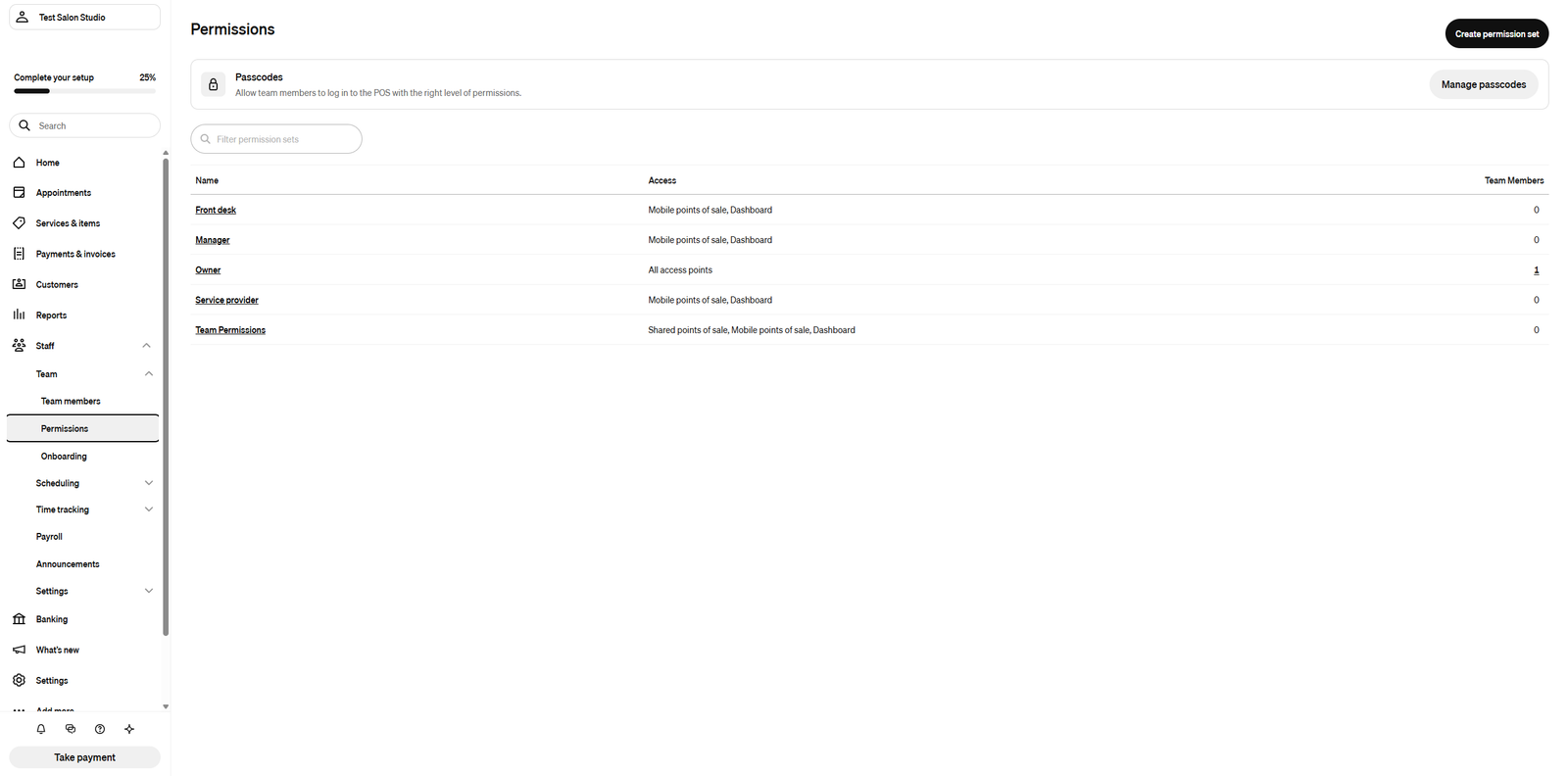
Payroll feature details in this guide come from each provider’s official documentation and pricing pages, verified in July 2026 — payroll activation requires a US business entity, so these features were not tested hands-on. Team permission and reporting screenshots are our own, taken in a Square Appointments trial account.
If you’re comparing full platforms rather than just the back office, start with our complete salon and spa software comparison.
Real Payroll Processing vs. a Simple Payout Tool: What’s the Difference?
Direct answer: Real payroll processing calculates and files your federal, state, and local payroll taxes automatically, and pays your team by direct deposit with proper W-2 and 1099 forms. A payout tool calculates what each team member earned (wages, tips, commissions) and moves the money to their account — but tax withholding, deductions, and filings are left for you to handle manually, usually with a separate accountant or provider.
Both get called “payroll” in marketing copy. Only one of them keeps you out of trouble with the IRS if you get it wrong. Of the six platforms in this guide, four run real tax-compliant payroll as a paid add-on, and two only offer a payout tool.
For the official IRS rules on employer payroll tax responsibilities, see the IRS Employment Taxes guide.
Comparison Table: Payroll, Team Permissions & Reporting Across 6 Platforms
All pricing below was confirmed directly on each provider’s official site. Base software subscription cost is shown separately from the payroll add-on, since every hair salon management software here prices payroll independently of your core plan.
| Platform | Real Tax Payroll? | Payroll Add-On Cost | Base Software Cost | Team Permissions | Reporting Depth |
|---|---|---|---|---|---|
| Vagaro | Yes — full tax withholding & filing | $34/mo + $5/employee | From $23.99/mo (current promo rate, single location) | Role-based, per-screen access | Payroll, commission & time-card reports |
| Booksy | No — reports only, no tax filing | Not offered | From $29.99/mo | Owner/Manager/Staff Member roles | 16 revenue/cash-flow reports + staff performance report |
| Mangomint | Yes — full tax withholding, W-2/1099 filing | $50/mo + $8/worker | From $165/mo | Granular, per-staff-member customization | Free payroll report on every plan, even without the add-on |
| GlossGenius | Yes — full tax filing, all 50 states | $40/mo + $6/team member (requires Gold plan, $48/mo) | From $24/mo (Standard, no payroll access) | Preset roles + fully custom permission sets | Customizable reports + expense tracking |
| Fresha | No — pay runs move money, taxes added manually | Included in Team Plan (pay runs); no tax filing at any price | Free core plan; Team Plan required for pay runs | Custom permission roles per team member | 44 free reports + paid Insights add-on for advanced permissions |
| Square Appointments | Yes — via the separate Square Payroll product | $35/mo + $6/person (or $6/mo per contractor-only) | Free solo tier; Plus plan for no-show protection | Square Team Management, permission sets per role | Labor cost vs. sales, team activity, forecasting |
Which Platforms Run Real, Tax-Compliant Payroll?
Direct answer: Four of the six platforms — Vagaro, Mangomint, GlossGenius, and Square (through its standalone Square Payroll product) — calculate and file federal, state, and local payroll taxes automatically and support direct deposit with proper year-end forms.
Vagaro Payroll
Vagaro Payroll costs $34/month plus $5 per employee, available only to US businesses. It automatically calculates federal and state tax withholdings based on the W-4 information employees enter during onboarding, supports direct deposit, and lets you migrate an existing Gusto account or import from another payroll provider. Employees complete their own onboarding, including e-signing tax forms. If you don’t add the paid tier, Vagaro still includes a free payroll report for record-keeping — but it doesn’t calculate withholdings, so it’s not a substitute for the real thing. See the official details on Vagaro’s payroll support page.
Mangomint Payroll Processing
Mangomint’s Payroll Processing add-on costs $50/month plus $8 per worker, and it’s the most fully featured of the four: unlimited payroll runs (regular and off-cycle) at no extra cost, direct deposit within four business days, digital pay stubs, PTO and benefits tracking, and automatic W-2/1099 generation at year-end. Notably, the underlying payroll report — hours, commission, tips, pay adjustments — is available free on every Mangomint plan even if you never activate the paid processing tier, which makes it useful purely as a bookkeeping tool. Full details on Mangomint’s payroll processing page.
GlossGenius Payroll
GlossGenius Payroll costs $40/month plus $6 per team member paid that month, and it’s only available on the Gold plan ($48/month) or above — it’s not accessible on the entry-level Standard plan at all. It handles federal, state, and local tax filing in all 50 states, supports both W-2 employees and 1099 contractors, and auto-populates from your existing commission and tip data. It also preserves compatibility with existing 401(k) and health benefit plans if you’re migrating from another provider. Confirmed on the official GlossGenius payroll page.
Square Payroll
Square Payroll isn’t built into Square Appointments — it’s a separate Square product that integrates with Square Team Management and Square POS. It costs $35/month plus $6 per person for W-2 employees and contractors, or $6/month per contractor if you only pay 1099s. It covers unlimited pay runs, automatic federal and state tax filing, and time-card imports directly from Square’s own point-of-sale and team app. Because it’s a shared Square product rather than an appointments-specific feature, the integration is deep if you’re already in the Square ecosystem for payments. Pricing confirmed on Square’s official payroll pricing page.
Which Platforms Don’t Have Real Payroll — and What They Offer Instead
Direct answer: Booksy and Fresha don’t file payroll taxes on your behalf. Booksy limits itself to commission and performance reporting; Fresha moves money to your team but leaves tax calculation as a manual step.
Booksy: Reports, Not Payroll
Booksy Biz Pro gives you detailed reporting on staff performance — commissions, revenue, tips, and reviews per team member, filterable and shareable without exposing other staff members’ data. What it doesn’t have is any payroll processing feature: no tax withholding, no filing, no direct deposit through the platform. If you choose Booksy for its booking and marketplace strengths (see our full Booksy review), plan to run payroll through a separate provider like Gusto or ADP using Booksy’s reports as your source data.
Fresha: Pay Runs, Not Tax-Compliant Payroll
Fresha’s “pay runs” feature, part of the Team Plan, automates wage, commission, and tip calculations and transfers the money from your Fresha business wallet to each team member’s Fresha wallet or linked bank account. It’s genuinely useful for saving time on the payout mechanics. But taxes and deductions aren’t calculated automatically — you add them as a manual adjustment during each pay run, and Fresha doesn’t file anything with tax authorities on your behalf. For a salon with actual W-2 employees, that means you still need a real payroll provider running in parallel. Details on Fresha’s official team pay overview.
How Much Does Salon Payroll Software Actually Cost?
Direct answer: Expect $34–$50 per month as a base fee, plus $5–$8 per employee paid that month, on top of your core software subscription. For a 4-person team, that’s roughly $54–$82/month just for payroll — before your base salon software plan.
- Vagaro Payroll: $34/mo + $5/employee → ~$54/mo for a 4-person team
- Square Payroll: $35/mo + $6/person → ~$59/mo for a 4-person team
- GlossGenius Payroll: $40/mo + $6/member, plus the jump to the $48/mo Gold plan if you’re on Standard → ~$64/mo in payroll costs alone, before the base plan difference
- Mangomint Payroll Processing: $50/mo + $8/worker → ~$82/mo for a 4-person team, the most expensive of the four
None of these figures include your core software subscription, which is billed separately (we cover full pricing tiers in our pillar comparison). If cost is the deciding factor and your team is small, it’s worth pricing out whether a standalone provider like Gusto, layered on top of a cheaper booking platform, beats the bundled option — the bundled convenience isn’t always the cheaper path.
Team Permissions and Role-Based Access: What to Look For
Direct answer: Look for permission systems that let you separate “can see the calendar” from “can see payroll and revenue” — not every staff member should have access to the same data, and a flat all-or-nothing permission model is a real limitation once you have more than one or two employees.
All six platforms support role-based permissions, but the granularity varies:
- GlossGenius and Fresha offer the most flexibility — preset roles you can customize, or fully custom permission sets built from scratch, covering calendar, clients, payroll, and reporting access individually.
- Mangomint lets you customize per staff member rather than just per role, including a specific “can manage payroll adjustments” permission separate from general payroll visibility.
- Booksy uses a simpler three-tier structure — Owner, Manager, Staff Member — which covers most small salons but offers less fine-grained control than the others.
- Vagaro and Square both support per-screen access control tied to their broader team management systems, appropriate for salons that also need POS-level permission control (cash drawer access, refund authority, and so on).
A practical tip regardless of platform: add your accountant or bookkeeper as a limited team member with reporting-only access during tax season, rather than sharing your owner login. Every platform in this guide supports some version of that.
Reporting Depth: Beyond Payroll
Direct answer: If back-office reporting matters more to you than payroll processing itself, Fresha (44 free reports) and Booksy (16 revenue/cash-flow reports plus staff performance breakdowns) lead the group — both without requiring a payroll add-on.
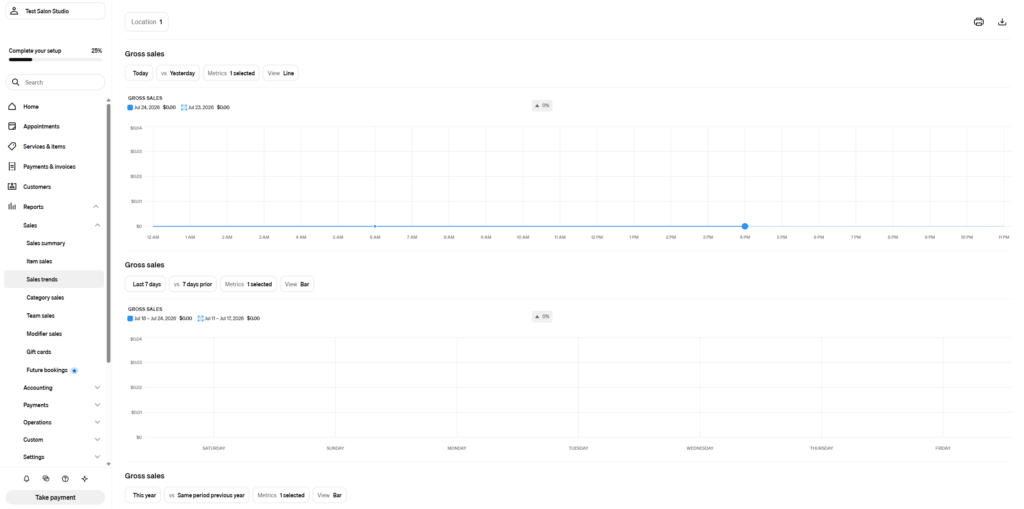
Reporting depth and payroll processing aren’t the same purchase decision. A salon that outsources payroll to an accountant but wants strong internal visibility into staff productivity, retention, and cash flow may be better served by a platform with rich free reporting than by paying extra for in-house tax filing it won’t use. Mangomint’s free payroll report — available without the paid processing add-on — is a middle ground worth considering for exactly this case.
Choosing the Right Hair Salon Management Software for Your Back Office
Direct answer: The right hair salon management software depends on how you pay your team. If you have W-2 employees and want everything in one platform, Vagaro or Square Payroll offer the most cost-effective real payroll. If you’re booth-rental-based with mostly 1099 contractors, Booksy’s or Fresha’s reporting may be all you actually need. If budget isn’t the main constraint and you want the deepest payroll feature set, Mangomint is the most complete — at the highest add-on cost.
- Small team (1-3 people), mostly commission or booth rental: a payout tool (Booksy, Fresha) plus a low-cost external payroll provider is often cheaper than an in-platform add-on.
- 4+ W-2 employees, want it all in one login: Vagaro or Square Payroll offer the lowest combined base fee among the real payroll options.
- Multi-location or complex compensation structures: Mangomint’s per-location payroll and detailed pay adjustment tools are built for this, at a higher cost.
- Already committed to GlossGenius for booking: factor in the forced upgrade to the Gold plan before you can access payroll at all — it’s not available on Standard.
For the client-facing booking comparison these platforms are usually chosen for first, see our hair salon software guide (booth rental and chair scheduling) or the full salon and spa software comparison. If payment processing costs are part of your decision too, our POS software cost breakdown covers hardware and transaction fees for the same six platforms.
Frequently Asked Questions
Do I need dedicated salon payroll software if I already use QuickBooks?
Not necessarily. QuickBooks Payroll can run independently of your booking platform — you’d just need to export hours, tips, and commission data manually or via integration. The in-platform add-ons in this guide save that manual step by pulling wage data directly from bookings and checkouts.
Can I switch from Gusto to my salon software’s built-in payroll?
Vagaro and GlossGenius both explicitly support migrating an existing Gusto account. Mangomint and Square don’t advertise a direct Gusto migration path on their official payroll pages as of this writing — confirm with their support teams before assuming a smooth transfer if you’re currently on Gusto.
Is paid payroll software worth it for a solo or two-person salon?
Usually not, if everyone is a 1099 contractor. A free payout tool or a low-cost external contractor-payment service typically costs less than $34-50/month in add-on fees. It becomes worth it once you have W-2 employees, where tax withholding accuracy carries real compliance risk if handled manually.
Does any of these platforms handle payroll outside the US?
No. Every payroll add-on covered here — Vagaro Payroll, Mangomint Payroll Processing, GlossGenius Payroll, and Square Payroll — is US-only (Mangomint offers limited Canadian coverage in BC and Ontario). This guide is written for US-based salons.